How to Take a Clear Junk Mail Photo
Use one photo for one mailer. Keep the company name and the complete mailing label sharp enough to read.
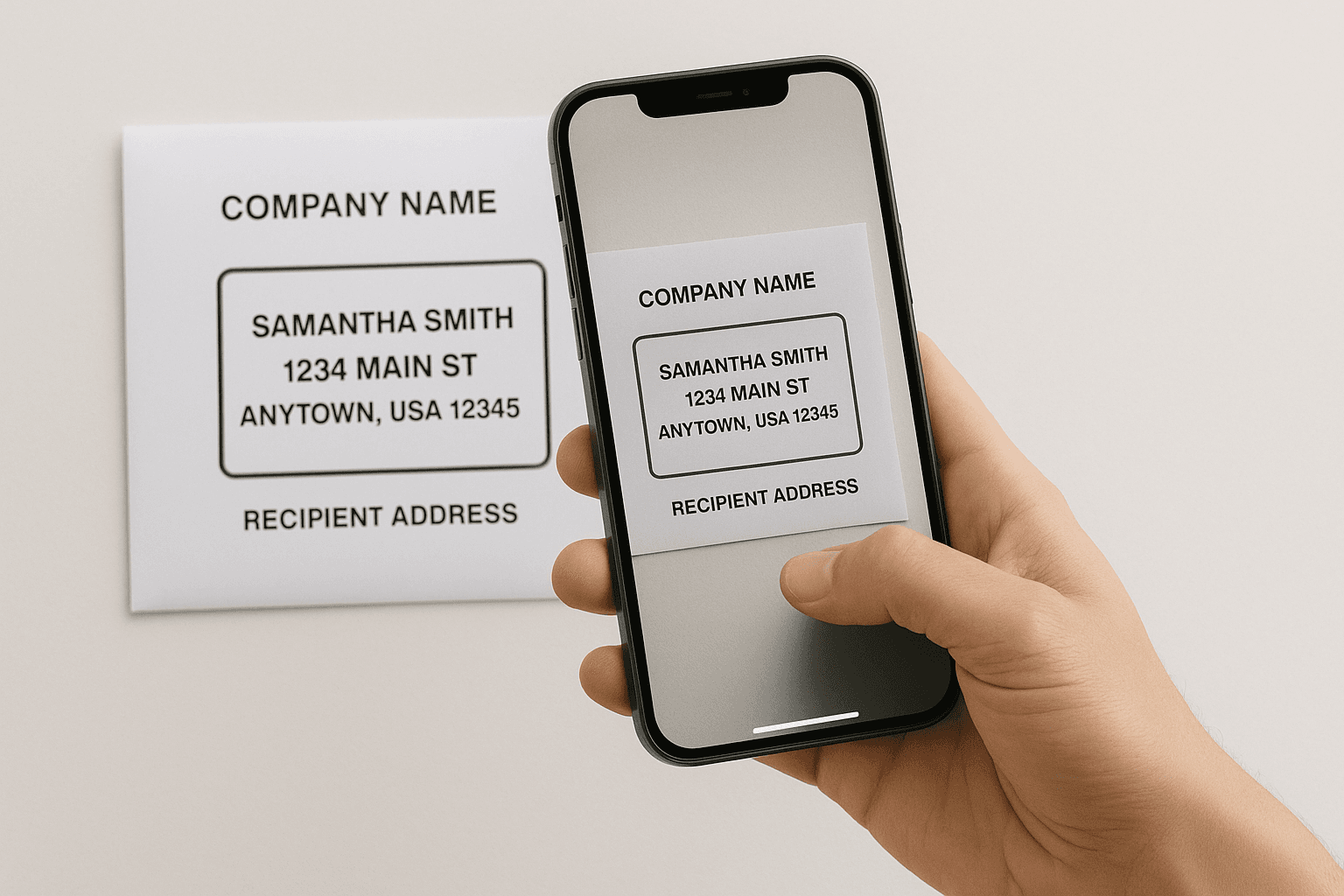
What the photo needs to show
- The sender. Include the company name, logo, return address, or website.
- The delivery label. Keep the recipient name and full postal address readable.
- A useful code. Include the customer, source, donor, or subscription number when it appears near the label.
- The type of mail. Show enough of the catalog, postcard, envelope, or flyer to distinguish it from a bill or personal letter.
Take a better picture in ten seconds
- Place the mailer on a flat surface in bright, even light.
- Move close enough to read the smallest important text on your screen.
- Hold the phone parallel to the paper so the label is not stretched or skewed.
- Keep fingers, shadows, and glare away from the sender and address.
- Review the picture before submitting it. Retake anything blurry.
One mailer per photo
Do not put five catalogs in one picture. Each opt-out request needs one sender matched to one mailing label. You can add several separate photos to a batch, but each photo should contain one piece of mail.
If the app recognizes paper mail but cannot read the sender, it asks for a closer photo. It does not keep retrying the same unreadable image. If the image is clearly grass, a room, a person, or something else that is not mail, it is rejected as non-mail.
What the scan result means
After you sign in, the app scans your photo. The result describes what it found, not whether the sender has removed you from a list.
- Sender found. The app identified a company. Contact lookup can continue after submission. A missing email address is not, by itself, a reason to retake a readable photo.
- Contact found. The app found a contact for that sender. This does not mean a request has been sent or the company has stopped mailing you.
- Take one closer photo. Remove the photo with the trash button beside it. Then take or upload a new one with the company name, logo, return address, or website in focus.
- This doesn't look like mail. The app describes what it sees and excludes that photo from the request. Remove it. If it really is a mailer, take a new picture that clearly shows the paper, sender, and mailing label.
When the sender and label are far apart
Use the outer envelope or wrapper when it shows both the company and delivery label. For a folded piece, open or reposition the same mailer so both clues fit in one sharp frame. Do not make a collage or place unrelated pieces beside it.
Check the scan before you confirm
Open the photo preview and compare the sender and mailing address with the paper in your hand. Check the apartment or unit number too. If the scan points to the wrong sender, remove the photo and retake it with the sender's printed details clearly visible.
If no address was extracted, the screen says, "We will use the original mail photo." That is not address verification. The mailing label still needs to be readable in the original photo. Retake it if the label is blurred, cropped, or covered.
Only confirm mail addressed to you, your household, your business, or someone you are authorized to help. No removal request is sent until you confirm and submit. Submission starts the request process; it does not guarantee that the sender will stop the next mailing. See how long it takes to stop junk mail for the difference between a request and a change at your mailbox.
What not to upload
Do not upload checks, passwords, Social Security numbers, full financial account numbers, identity documents, tax records, legal notices, or medical information. Junk Mail Magic is for unwanted paper marketing. Cancel paid subscriptions through the account owner, and handle important correspondence through the responsible organization.
The Federal Trade Commission's junk-mail guide explains the official broad opt-outs for marketer lists and prescreened offers. Use our opt-out comparison to choose the right route for the piece in front of you.
Have the mailer in front of you?
Photograph one piece of unwanted mail. We identify the sender and prepare the removal request. Your first request is free.
Try one request free